Cloud Secure Edge (CSE) Licenses
License types and license distribution to end users in Cloud Secure Edge
- Last validated: Oct 1, 2026
- 5 minutes to read
-
Contributors

- Cloud Secure Edge License Overview
- Cloud Secure Edge License Types in MySonicWall
- Granting Licenses
- Revoking licenses
Cloud Secure Edge License Overview
A license is a token that is assigned to a user in your org; a user is licensed when an admin assigns the user to a service (e.g., a Service Tunnel) and the user has authenticated into the Cloud Secure Edge (CSE) app. Depending on the service assignment, a specific license type will be assigned to the user (license types are outlined below). Admins can purchase a fixed number of licenses, known as their License Entitlement. This is a floating number of licenses available for end users to consume as they access resources or services within Cloud Secure Edge; these licenses are not time-limited.
Cloud Secure Edge License Types in MySonicWall
Licenses are purchased through MySonicWall.
Secure Private Access (SPA)
SPA licenses cover access to your private resources. Basic provides VPN-style network access; Advanced provides Zero Trust Network Access (ZTNA) to individually named resources.
| Capability | What it gives you | SPA Basic | SPA Advanced |
|---|---|---|---|
| Service Tunnel | VPN as a Service, available as a split tunnel | ||
| IP Allowlisting | Access to specific IP address ranges | ||
| Hosted websites | Access to internal websites | ||
| Hosted infrastructure | Access to internal infrastructure services | ||
| Full Tunnel | The full tunnel version of a Service Tunnel |
Secure Internet Access (SIA)
SIA licenses cover what users can reach on the internet. Basic is compliance-focused web filtering; Advanced is security-focused web filtering.
| Capability | What it gives you | SIA Basic | SIA Advanced |
|---|---|---|---|
| DNS-based compliance content filtering | Blocks internet content that your compliance standards do not permit | ||
| DNS-based malicious content filtering | Blocks users from reaching known internet threats | ||
| URL Filtering | Scores the threat associated with a URL and allows or blocks accordingly | ||
| Device Trust for SaaS | Evaluates device trust during SaaS sessions | ||
| Geo-blocking internet access policies | Blocks internet access by geographic location | ||
| Malware Download Protection | Inspects and blocks malicious file downloads through the Secure Web Gateway |
Note: Cloud Secure Edge (CSE), formerly known as Banyan Security, previously offered product editions. These editions are no longer available for purchase, but some edition models may still be in use.
Granting Licenses
Licenses can be granted explicitly or implicitly. Licenses can be explicitly granted to an individual user, or licenses can be consumed by a user when an admin assigns that user to a Cloud Secure Edge service (i.e., implicitly granted). Depending on the service assignment or the explicit granting of a license, a particular type of license will be consumed by the user (i.e., either an SIA license or an SPA license).
Steps to Explicitly Grant a license
To explicitly grant a license to a user, complete the following steps:
1. On the Home page of the Cloud Secure Edge (CSE) Command Center, select the Licenses tab.
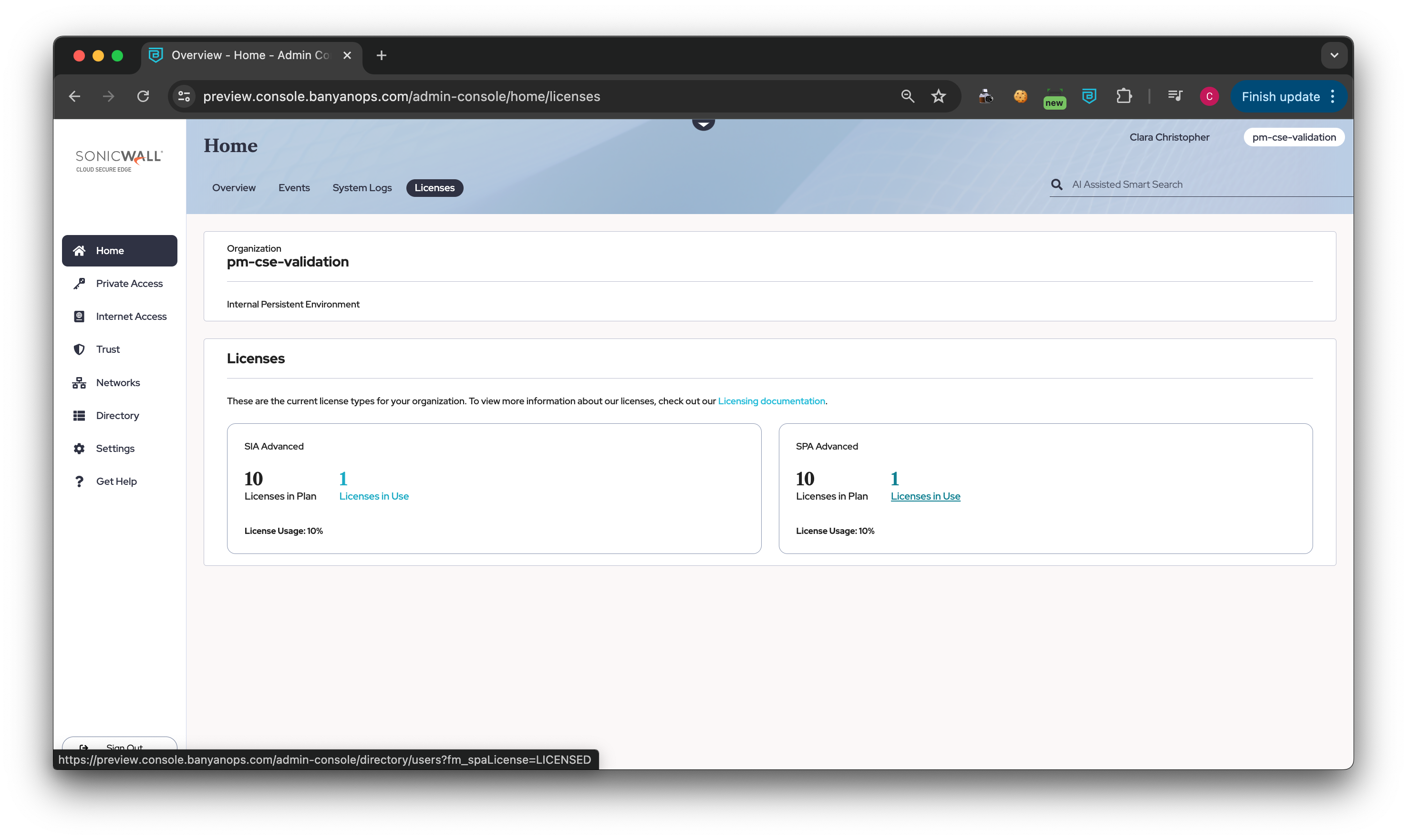
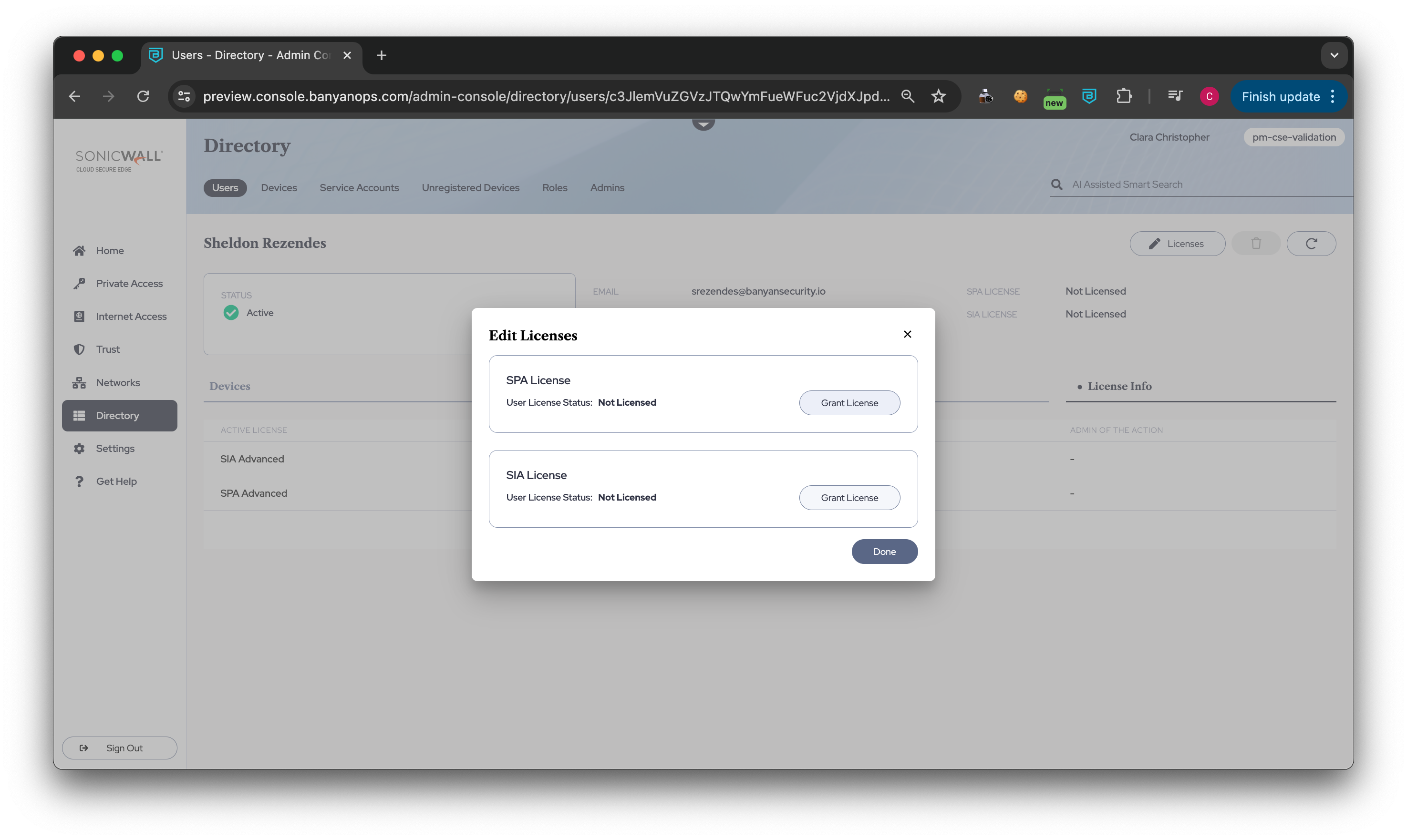
2. To grant a licenses to a user, either select Licenses in Use (under either the SIA or SPA Licenses plan) and then select a specific user, or navigate from Directory > Users, select a user that you want to grant a license to, and then select the Licenses edit button.
3. An Edit Licenses module will pop up: choose whether to grant your user an SIA License or an SPA License.
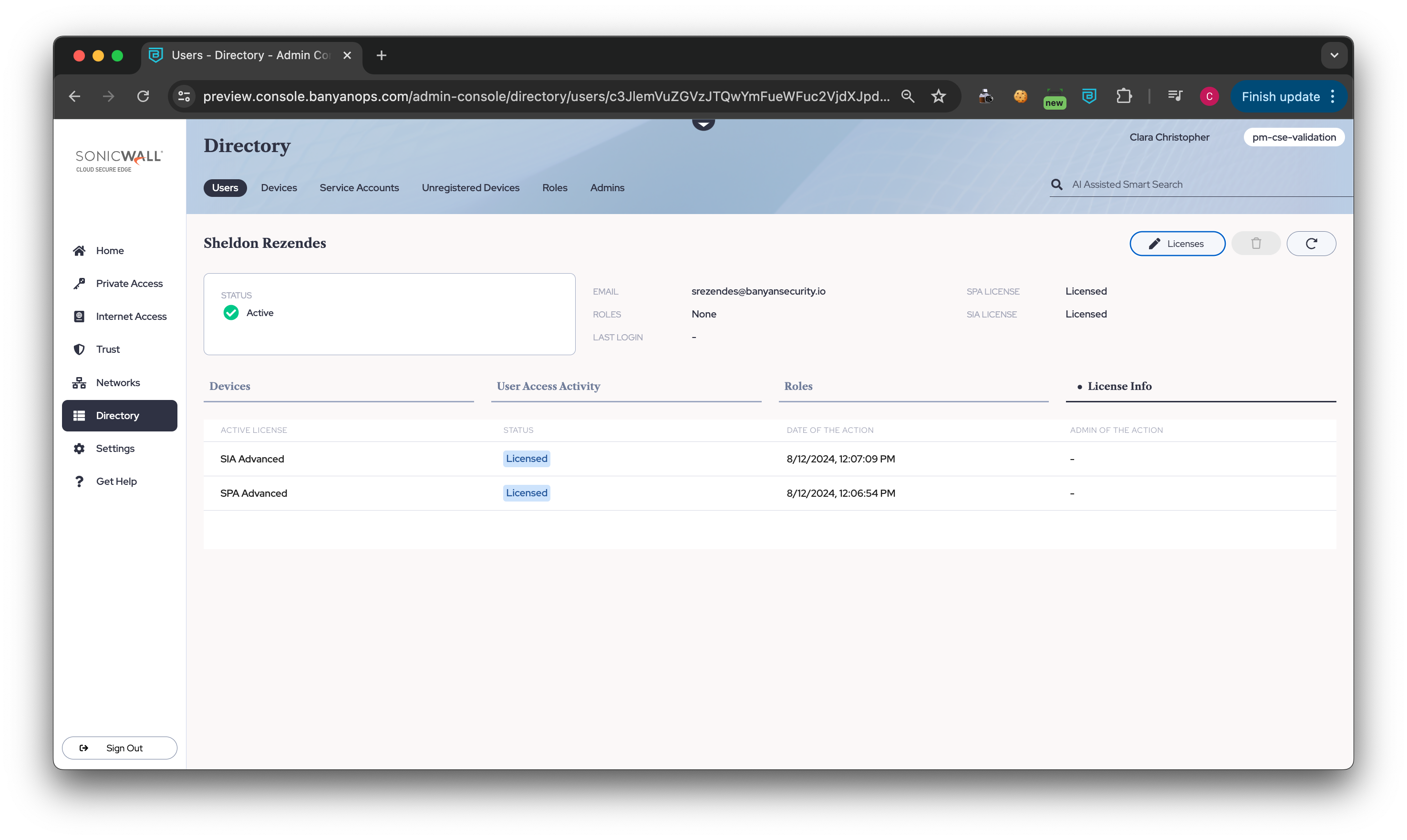
4. To view the status of licenses granted to or revoked from a user, see the User details page.
Steps to Implicitly Grant a license
Assign a user in your org to a Cloud Secure Edge (CSE) service. The service determines which license type the user consumes:
| License consumed | Assign the user’s device to |
|---|---|
| SPA | A Service Tunnel, or a Zero Trust Network Access (ZTNA) service such as a hosted website |
| SIA | An Internet Threat Protection (ITP) policy, or a protected SaaS app |
Revoking licenses
Licenses can be revoked explicitly or implicitly. A License can be explicitly revoked by selecting the Revoke License option. Depending on the service assignment or the explicit granting of a license, a particular type of license will be consumed by the user (i.e., either an SIA license or an SPA license).
Note: Currently, when an admin revokes a user license, users are not prevented from authenticating to and using CSE services. To ensure that a user in your org cannot access a service after license revocation, either (i) delete the user(s) from CSE (if you’re using local user management) or (ii) block user(s) access from the 3rd-party IdP associated with your user(s).
Steps to Explicitly Revoke a License
To explicitly revoke a license from a user, complete the following steps:
1. On the Home page of the Cloud Secure Edge (CSE) Command Center, select the Licenses tab.
2. Either select Licenses in Use (under either the SIA or SPA Licenses plan) and then select a specific user, or navigate from Directory > Users, and select a user that you want to revoke a license from, and then select the Licenses edit button.
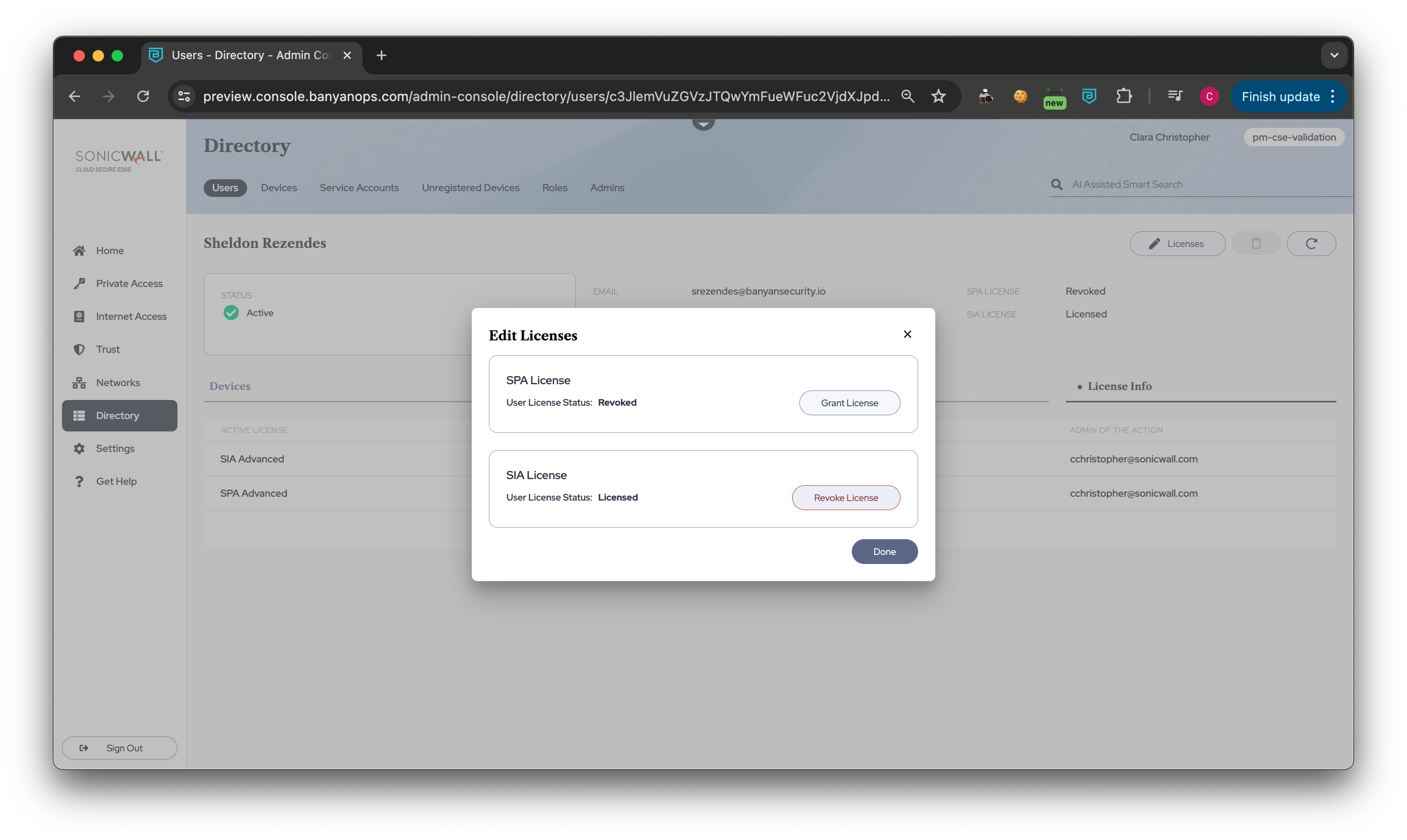
3. An Edit Licenses module will pop up: Select Revoke License on either the SIA or the SPA License option, and then select Done.
Steps to Implicitly (or Automatically) Revoke a License
Remove a licensed user from the user list (i.e., delete a user in the CSE Command Center or delete a user in SCIM); the revoked license will return to the pool of licenses available to use.
Note: As mentioned above, the user’s license will not be revoked when the user is unassigned from a service.