Access Logs
Review detailed logs of user access activity in your Cloud Secure Edge SIA organization
- Updated on Dec 09, 2025
Note: This feature is currently only available for SIA licensed orgs using Internet Threat Protection.
Overview
The Internet Access Logs display access activity of users in your org by month. Each Access Log entry contains a downloadable file (generated by month) that details all of the blocked and allowed requests evaluated by Cloud Secure Edge’s secure web gateway (SWG) agent.
These downloadable Access Log files will be available for up to 12 months in the Cloud Secure Edge Command Center; each Access Log entry notes the expiry date (under the Expires column).
For orgs that don’t use an SIEM, Access Logs can help meet compliance needs. Alternatively, Access Logs can be referenced in the case of an incident to help admins understand the preceding events.
Navigate the Access Logs
In the Cloud Secure Edge Command Center, navigate from the homepage to Logs > Access Logs.
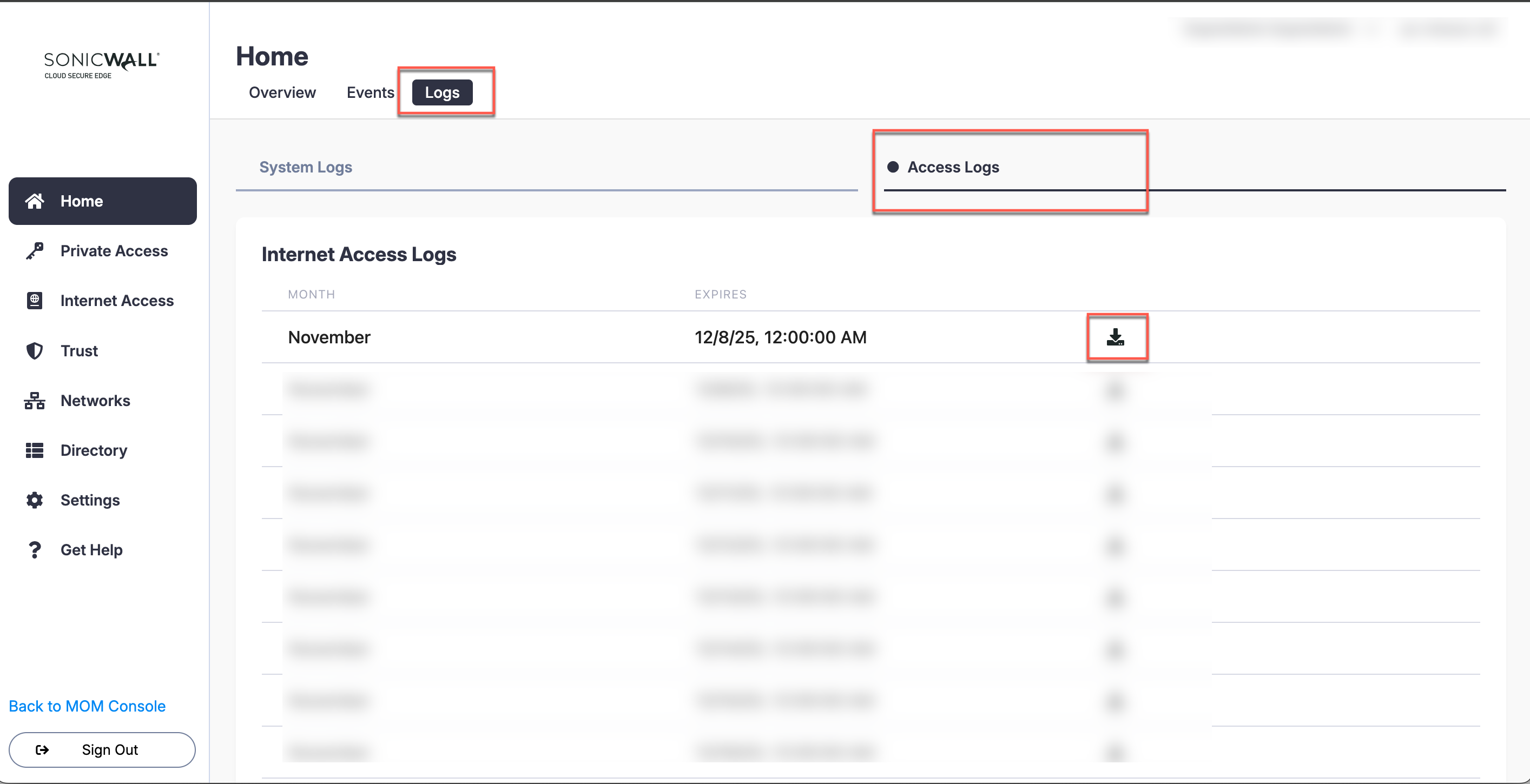
Each Access Logs entry’s downloadable file can include:
- the timestamp,
- the user’s email,
- the user’s device ID,
- the device’s public IP address,
- the domain the user was attempting to access,
- the destination IP,
- the URL,
- the category associated with the domain,
- the country the domain was accessed from,
- the associated policy name,
- the reason for blocking access (if the attempt was blocked),
- and the request ID.
Download an Access Log file
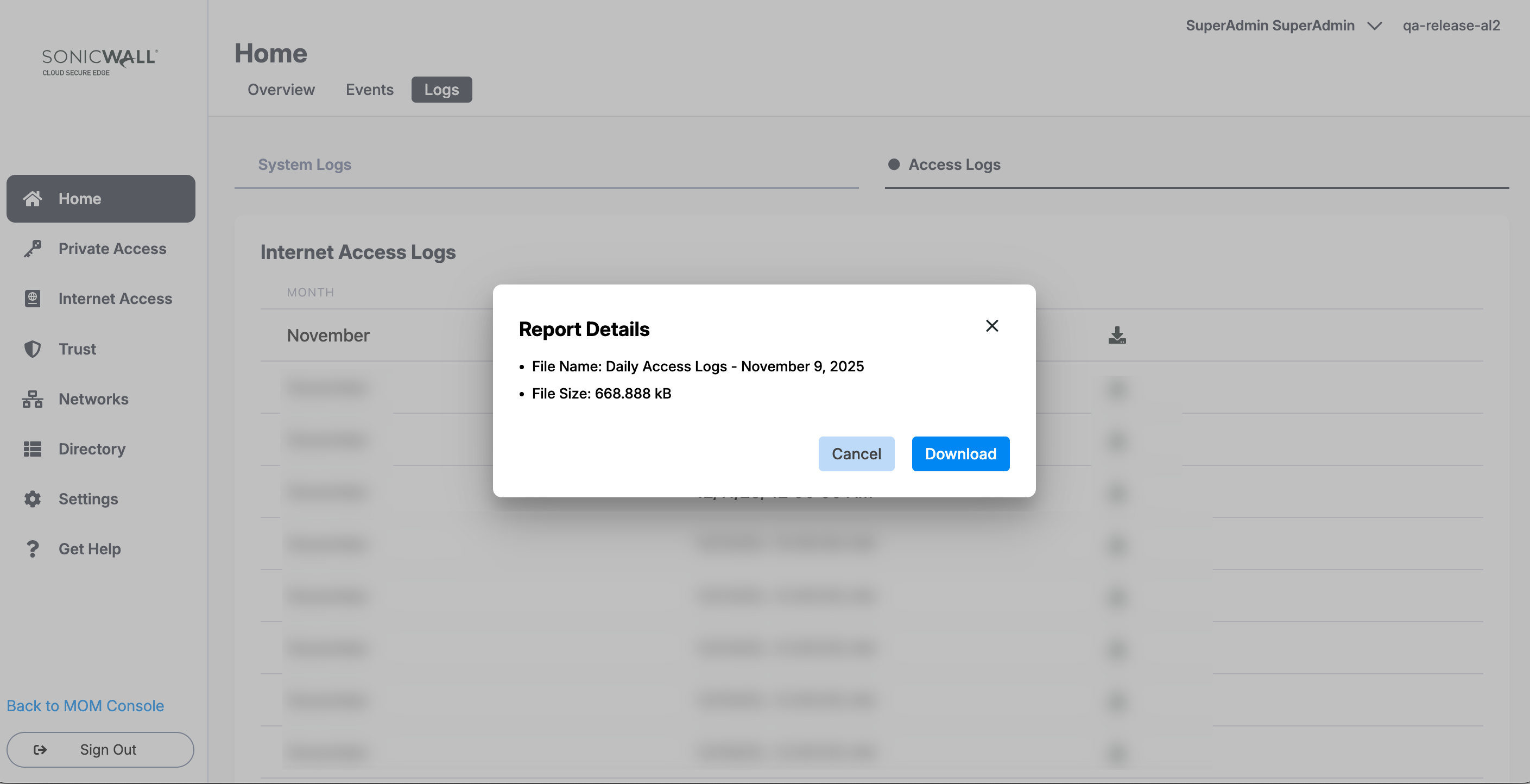
The downloadable Access Log file is available as a CSV file, where each line represents the row of a table and each value in the row is separated by a comma. To download the file, select the download icon on an Access Logs entry, and then after reviewing the Report Details, select the Download button.