Install Cloud Secure Edge Connector on your SonicWall firewall
Install the Connector on a Gen7+ firewall
- Updated on
Overview
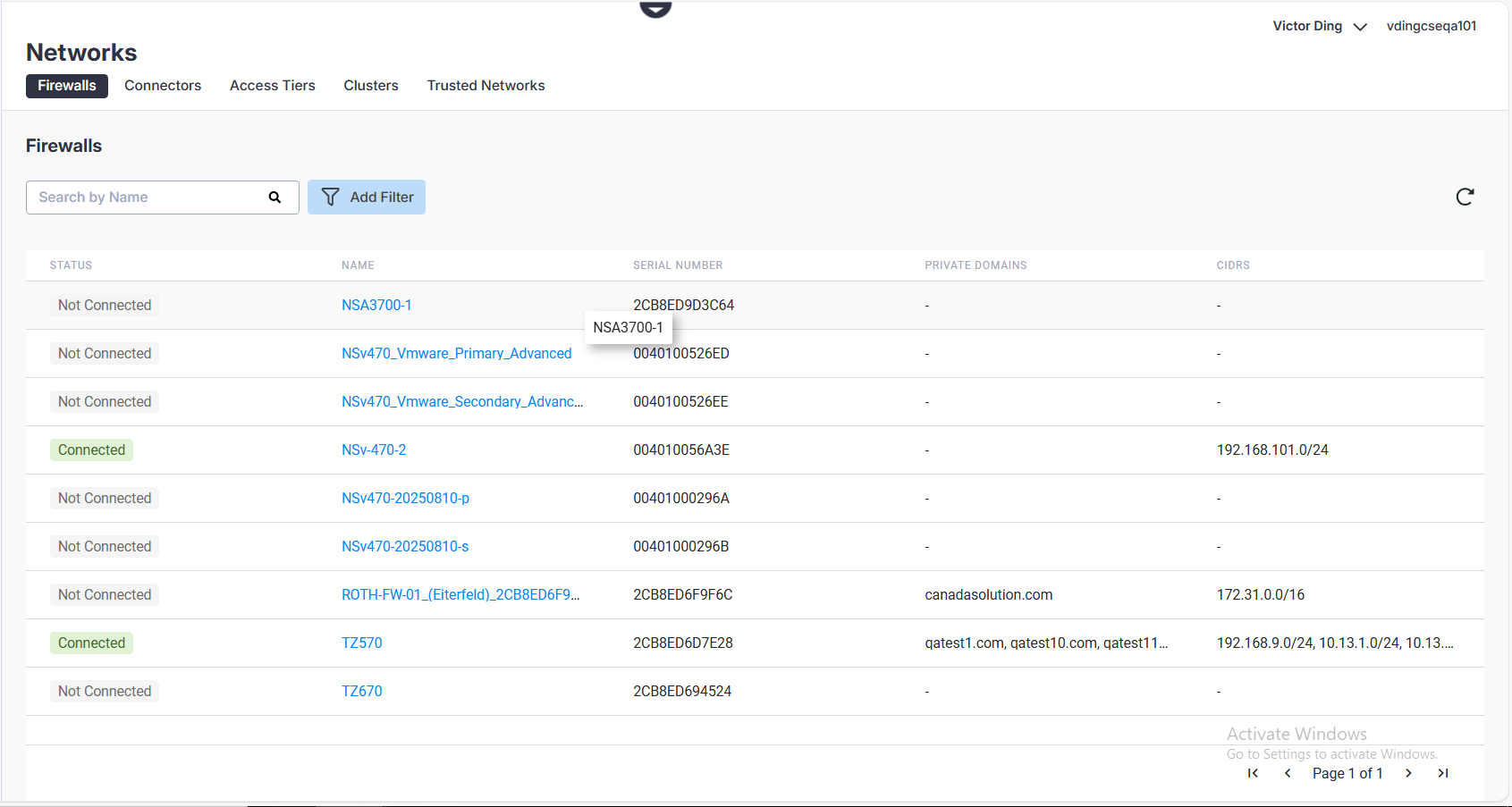
This doc details the Firewalls tab in the Cloud Secure Edge Command Center (Networks > Firewalls), which serves as a centralized management view for integrating SonicWall firewalls with CSE infrastructure (i.e., Connectors). The Firewalls tab provides a real-time inventory of all SonicWall firewalls within your MySonicWall tenant that are eligible to host a CSE Connector (i.e., Gen7+ firewalls). The list identifies the current status of each eligible firewall, either as Connected (i.e., has a CSE Connector installed on it) or Not Connected (i.e., does not have a CSE Connector installed on it but is available for CSE Connector installation). From the Firewalls tab, you can verify the synchronization between your hardware and the CSE cloud console.
Install CSE Connector on a SonicWall firewall
To install a CSE Connector on one of your Gen7 (or later version) firewalls, complete the steps outlined in these docs.
View list of Firewalls
In the CSE Command Center, the list of usable firewalls can be found by navigating from Networks > the Firewalls tab. The Status refers to whether a CSE Connector is installed on the firewall. The rest of the categories (i.e., Name, Serial Number, Private Domains, and CIDRs) are imported directly from your SonicWall firewall.
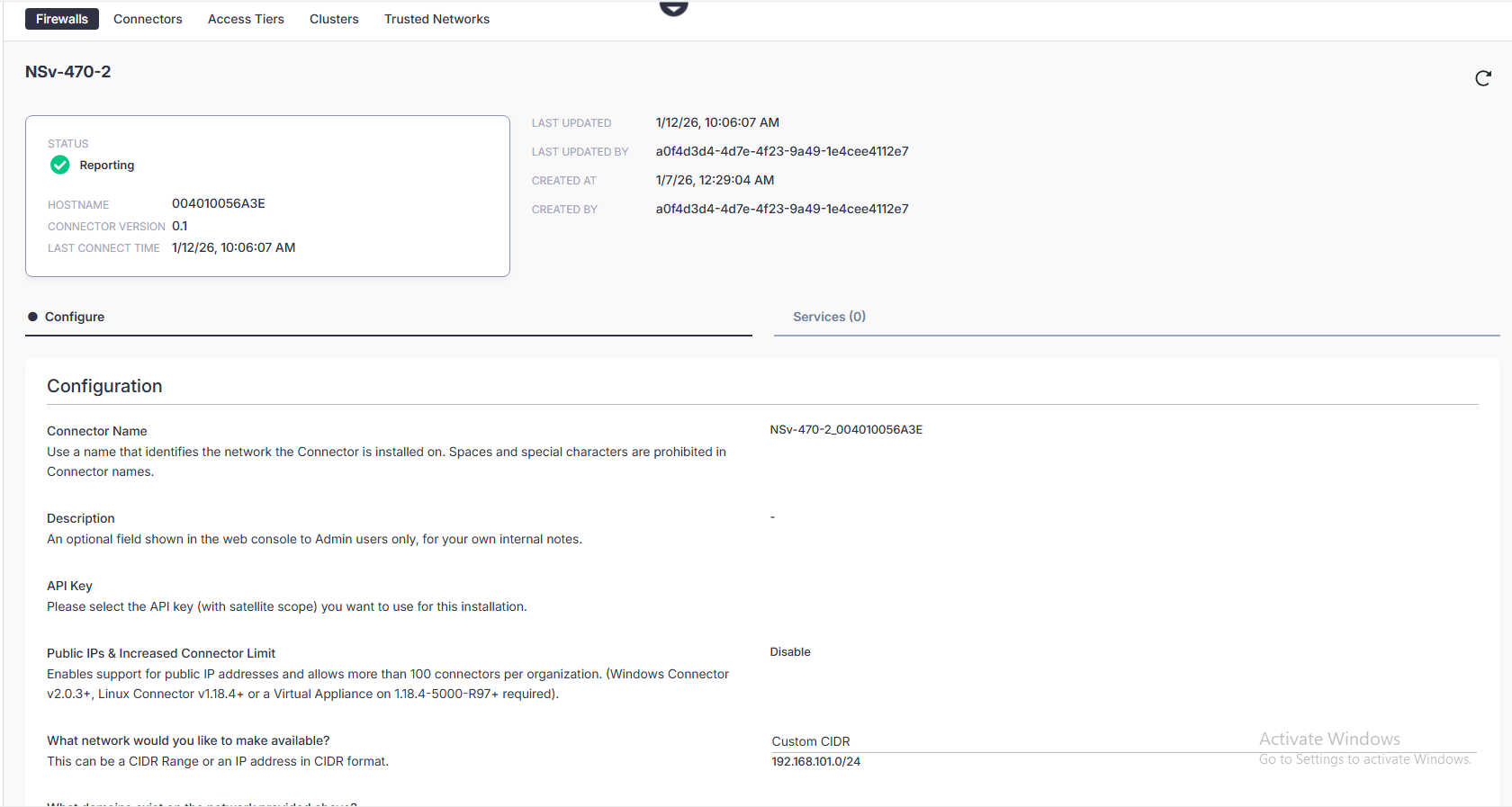
Firewall Details Page
The Firewall details page is viewable if you click into a particular firewall on the list (i.e., click its name). Only firewalls that already have a Connector installed on them can be clicked into. The details page displays additional Connector configuration details.