IdP Routed SaaS Applications
Use IdP routing capabilities in your Identity Provider to enforce Cloud Secure Edge Policies on your SaaS applications
- Last validated: Jul 23, 2026
This topic details IdP Routed authentication to secure your SaaS apps; in this technique, the SaaS Application is configured for SAML/OIDC authentication using your Identity Provider and your Identity Provider is configured to federate to CSE’s TrustProvider component. Zero Trust policies are defined for groups of SaaS applications you route via IdP Federation logic. You can also configure CSE-federated authentication to secure your SaaS apps.
Doc status: CSE-side steps were re-verified against the CSE console on 2026-07-14, and third-party console steps were updated against vendor documentation on the same date. The third-party IdP console steps follow the vendor’s own documentation and should be confirmed against the live admin console, which can change without notice.
How It Works
The diagram below provides a conceptual overview of how you can use Cloud Secure Edge (CSE) via Identity Federation for Device Policies on SaaS Apps.
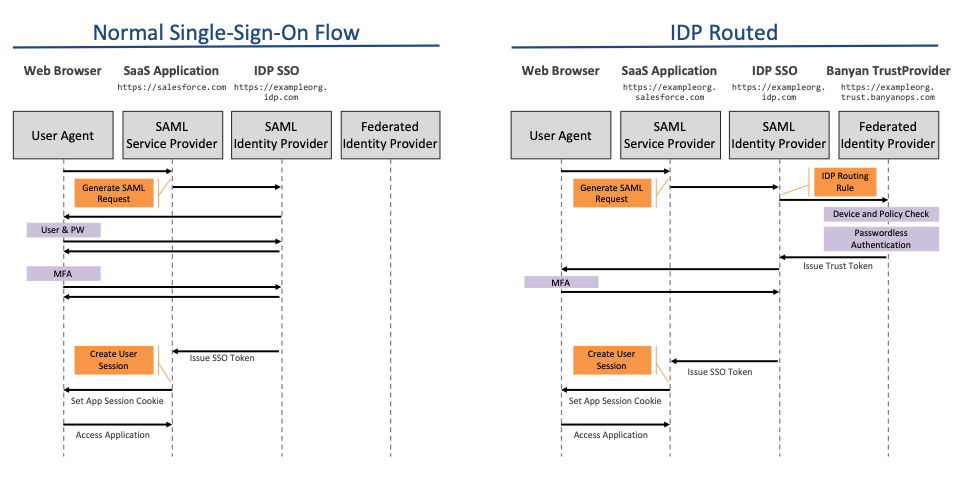
In the Normal Single-Sign-On flow, your SaaS application redirects to your Identity Provider to authenticate the user.
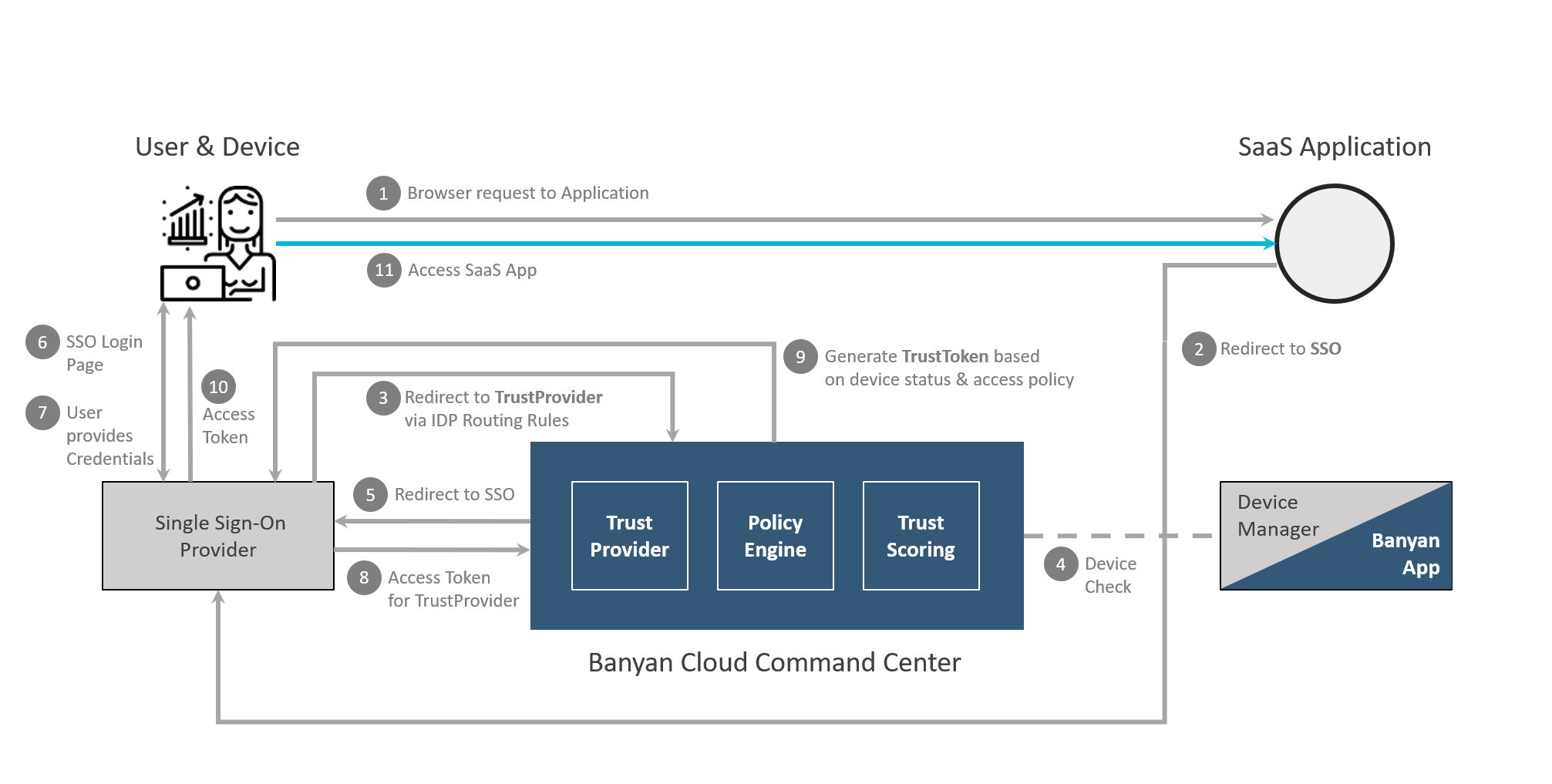
In the IDP-first authentication flow, you configure your Identity Provider to federate authentication requests to Cloud Secure Edge’s TrustProvider component. Since the Cloud Secure Edge (CSE) is now in the authentication flow, it is able to enforce zero-trust security policy. The net effect is that every login to a routed SaaS application is inspected by CSE, so device posture and group-based Zero Trust policies are applied before the user reaches the application.
The step-by-step flow is detailed in the diagram below:
Identity Provider Setup Guides
Each guide below pairs the authoritative CSE Command Center configuration with the steps performed in your Identity Provider’s own console. Because the IdP admin consoles are owned by their vendors and can change without notice, treat the linked vendor’s documentation as the source of truth for any IdP-side UI labels or navigation.
- Okta
- Microsoft Entra ID
- OneLogin
- Duo (validate end-to-end before production use)
- Google Workspace